Today's Word
NFC faith companion
Faith Companion Bracelet
Tap your bracelet to return to a daily moment of Scripture, blessing, and guided prayer.
Faith Companion
Peace be with you today Friend
Faith Companion
Today
Peace be with you today Friend
Take a quiet breath. You are not alone today.
A Gentle Blessing For Your Day
Rest quietly before the Lord…
Bracelet Experience
Quiet Moment AR experience
Through your phone, see sacred scenes come to life above your bracelet.
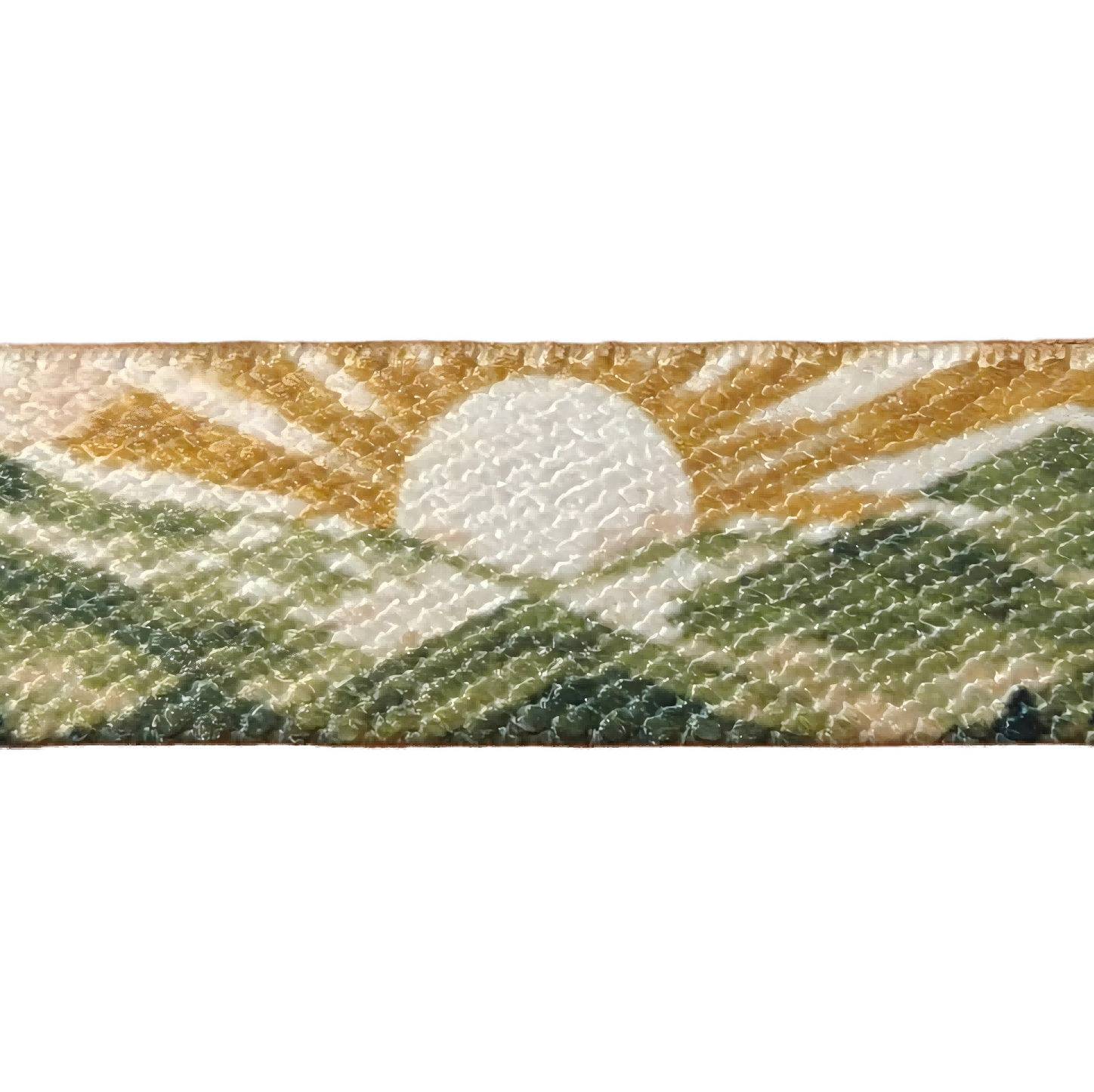
Use your phone and allow camera access when asked.
How to view & helpful tips
- Lay it flat. Take off your bracelet and lay it horizontally on a flat surface, with the sun-and-mountain pattern facing up and uncovered.
- Open the experience. Tap Open Quiet Moment to load AR, and allow camera access when asked.
- Point and pause. Aim your phone's rear camera at the sun-and-mountain pattern shown above. Start about 10-12 cm (4-5 in) away and hold steady for a few seconds.
- Adjust gently. If nothing appears, slowly move your phone closer or farther away. If the pattern looks blurry, move back a little until it is sharp. Keep the sun and surrounding mountains in view.
For a smoother experience
- Use an up-to-date Safari on iPhone or Chrome on Android with a reliable internet connection. If a social app's built-in browser has trouble, open the link in Safari or Chrome.
- Use bright, even light. Avoid glare and deep shadows on the bracelet, keep your camera lens clean, and move slowly.
- If the camera stays black, check camera access in your browser's site settings and your phone's settings, then reload. Allow motion access if the experience requests it.
When finished, use your browser's Back button until you return to Faith Companion.
My Walk
Walking With the Word
Saved Moments 0 saved
Words and blessings you want to return to privately.
My Account Sign in
Create an account to keep your saved words and prayer journey with you across devices.